 Whiteboard Animation
Best whiteboard animation software: 9 tools compared
Par Deniffer AlanPublié le
TL;DR There is no single best whiteboard animation software; there are two kinds. Video editors (VideoScribe, Doodly, InstaDoodle, Powtoon, Animaker) build a whole video from scenes, a library of drawings, text, voice-over and music. Picture-to-drawing tools (WhiteboardAnimation.ai, SpeedPaint, SpeedPaint in Canva) draw one finished picture you already have, by hand. Golpo AI generates a whole narrated whiteboard video from a prompt or a document. Pick the kind first, then the price: every price below was read on each tool’s own pricing page on 27 October 2026.
The tools at a glance
US prices as each tool’s pricing page showed them on 27 October 2026. “Not stated” means its pages do not say.
| Tool | Best for | Price | Free option | Output |
|---|---|---|---|---|
| VideoScribe | A whole whiteboard explainer built in one editor, from its image library | Lite $150/year, Core $255/year, Max $320/year per licence | 7-day trial, no card: 3 downloads, up to 5 min, watermarked | 1080p MP4 |
| Doodly | Doodle videos from a library of characters and props, on Windows or Mac | Standard $49/month or $490/year; Enterprise $79/month or $790/year | 14-day free trial; 30-day money-back guarantee | MP4, OGG, MKV or WebM, up to 1080p and 60 fps |
| InstaDoodle | Doodle videos with AI-generated doodle elements, in the browser | Standard $47/month, Pro $67/month, Agency $127/month | No free version or trial; 60-day money-back guarantee | 1080p on Standard; 2K and 4K on Pro |
| Canva (SpeedPaint app) | Turning a Canva design or image into a drawing clip inside Canva | Canva Free $0; Canva Pro $144/year; more SpeedPaint credits are bought in the app | Free Canva users get one free SpeedPaint credit | MP4 download |
| Powtoon | Teams making training and explainer videos from whiteboard templates | Lite $15/month, Professional $40/month, Advanced $125/month (billed yearly) | Free plan: 720p, up to 3 min, Powtoon watermark | 1080p MP4 on paid plans |
| Animaker | Template-based whiteboard and cartoon videos in the browser | Basic $10/month, Starter $19/month, Pro $49/month (plan cards) | Free plan, no card | MP4, GIF or WebM; 720p on Basic, 1080p on Starter, 2K on Pro |
| Golpo AI | A narrated whiteboard video generated from a prompt, script or document | Starter $39.99/month (20 min of video), up to Scale $999.99/month; or pay-as-you-go credits | One 1-minute video, watermarked, cannot be downloaded | Not stated; colour from the Growth plan ($199.99/month) |
| SpeedPaint (speedpaint.co) | Unlimited drawing clips from uploaded images for a flat monthly price | Basic $9.99/month, Standard $14.99/month, billed monthly | No free plan on its pricing page | 1920 × 1080 |
| WhiteboardAnimation.ai | Drawing your own finished picture by hand, then editing the clip in your own editor | Starter $15/month, Pro $39/month; 20 credits for $10, no subscription | 5 free credits: 720p, watermarked | MP4 or WebM up to 1080p; transparent WebM, PNG sequence and layers on Pro |
The table answers four questions: what you start from (a blank editor, a prompt, or your own picture), what it costs a month, whether you can try it free, and what file you get. The sections below say where each answer comes from.
How we compared them
From each tool’s own pages, on one day, and from our own runs where we have made them. No scores.
- Prices and plans are what each tool’s own pricing page showed on 27 October 2026, in US dollars. Prices change; the sources at the end link every page we read.
- Features are what each tool’s own pages and help centre say. Where they say nothing, the table says “not stated” rather than guessing.
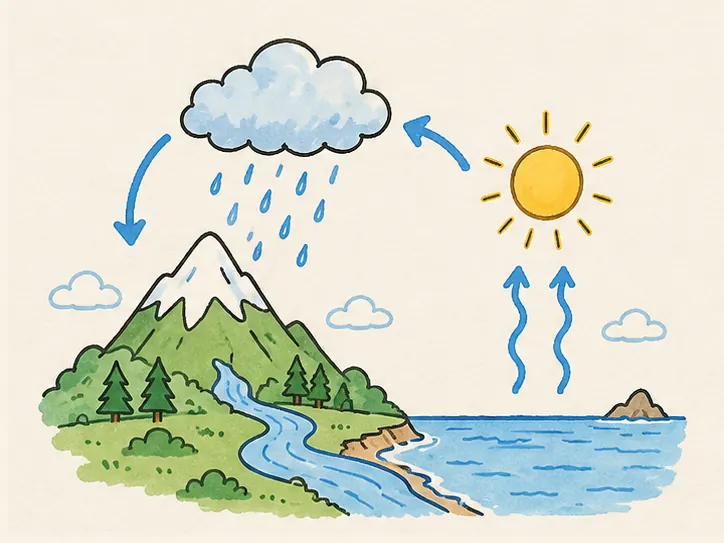
- Same picture, both tools: we ran our water-cycle illustration through VideoScribe’s free trial on 20 October 2026; the VideoScribe comparison shows frames from both. The A1D comparison does the same for A1D. We have not yet run the other tools on this page.
- We make one of these tools. WhiteboardAnimation.ai is ours; its section says what it does not do, and the last section says when another tool is the better choice.
WhiteboardAnimation.ai: your own picture, drawn by hand
You upload one finished picture — PNG, JPEG or WebP — and a hand draws it: line art first, then colour. You finish the video in your own editor.
- Price: Free (5 credits, 720p, watermark); Starter $15/month or $12/month billed yearly (50 credits, 1080p, no watermark); Pro $39/month or $29/month billed yearly (200 credits, transparent and layered export, API access, commercial licence). Or 20 credits for $10 with no subscription; any pack removes the watermark and unlocks 1080p for good. One credit draws one picture; exporting is free.
- After the drawing: change the hand (six, or none), the timing, lines only, or which part is coloured first, without redrawing or spending a credit.
- Export: MP4 or WebM on paper or a colour; on Pro, transparent WebM, a PNG sequence, or every layer as its own clip; green screen on every plan.
- For agents: an API and a prompt for Claude Code, Codex or Cursor that draws a folder of pictures (developers).
| Example | As drawn | Line art |
|---|---|---|
| The water cycle | 1:07 | 0:24 |
| A simple circuit | 0:46 | 0:07 |
| Shapes lesson | 1:23 | 0:33 |
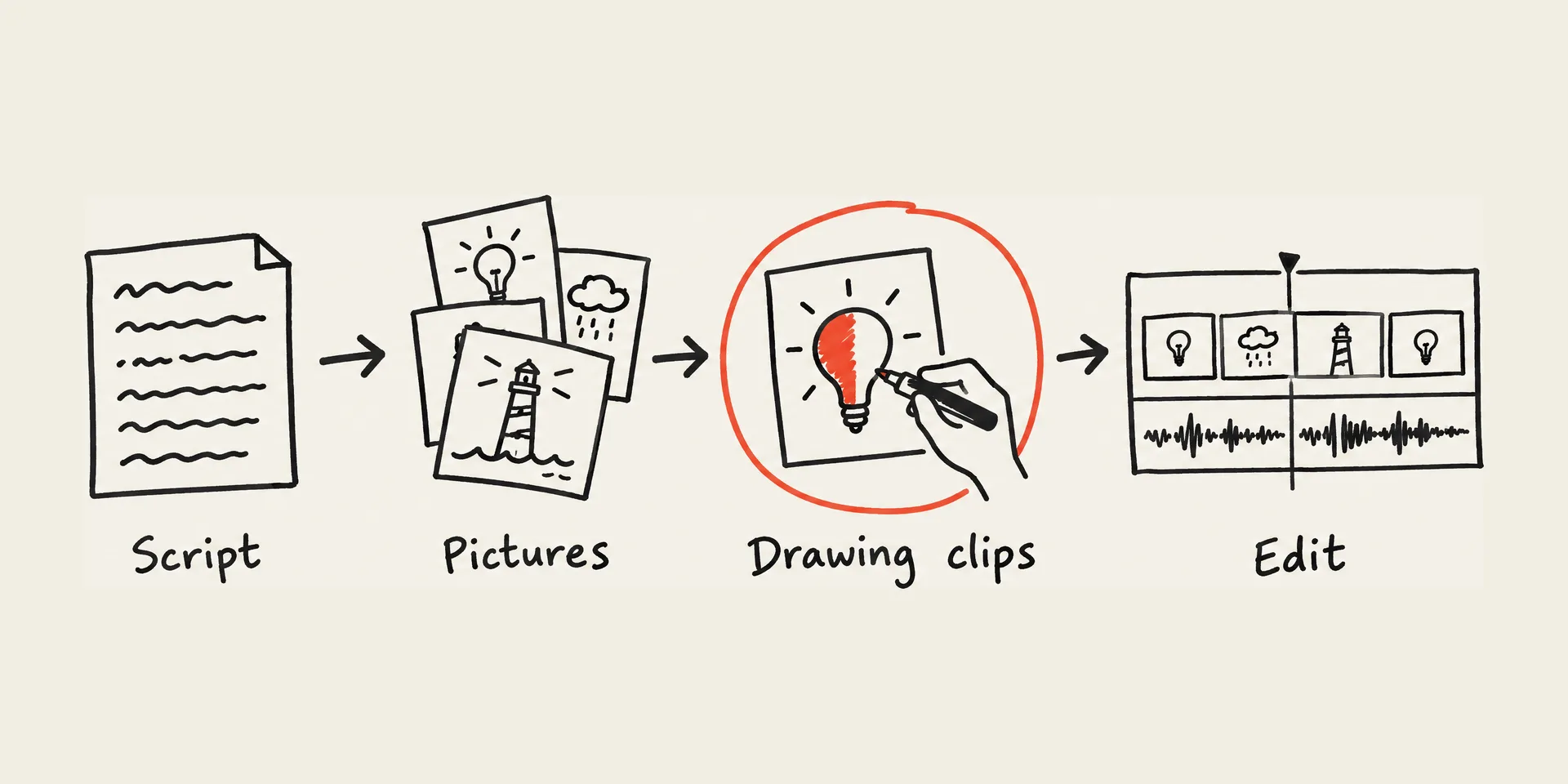
What it does not do: no scenes, text, voice-over, music or stock image library; no picture from a text prompt (you bring the picture: how to prepare one); no 4K (up to 1080p or the picture’s own size); saving the video needs a desktop browser.
VideoScribe
A whiteboard video editor: scenes, text, a library of 9,000+ images and icons, voice-over and music on one timeline.
- Price: per licence, billed annually: Lite $150 a year ($12.50 a month, 5 downloads a month, watermarks on premium images), Core $255 ($21.25, 30 downloads, no watermark, 5M premium images), Max $320 ($26.67, unlimited downloads, reseller rights).
- Free: a 7-day trial with no card: 3 video downloads, up to 5 minutes, watermarked.
- Your own picture: a PNG or JPEG is revealed by a diagonal wipe behind the hand; drawing stroke by stroke needs SVG artwork (its help pages).
- Output: 1080p MP4.
- Best for: building a whole explainer, start to finish, in one tool. Our VideoScribe comparison runs the same picture through both.
Doodly
A doodle-video editor for Windows and Mac: scenes from its library of characters, props and backgrounds, or your own images, with text, voice-over and music.
- Price: Standard $49 a month or $490 a year; Enterprise $79 a month or $790 a year, with a larger library, more music and more storage.
- Free: a 14-day free trial (with Voomly Cloud) and a 30-day money-back guarantee.
- Your own picture: PNG, JPG, SVG or GIF up to 1920 × 1080, drawn with a wide default path unless you click a custom draw path onto it; its help says SVG gives the best results.
- Output: MP4, OGG, MKV or WebM, 360p to 1080p, up to 60 fps, no watermark; whiteboard, chalkboard, glass board or your own background.
- Best for: marketers building whole doodle videos from ready-drawn characters in many poses.
InstaDoodle
A browser-based doodle-video editor with AI that generates doodle elements and converts pictures to doodles.
- Price: Standard $47 a month (1080p, 150 AI credits, 8 hands, 1,000+ elements), Pro $67 a month (2K and 4K export, 3,000+ pro elements, commercial licence), Agency $127 a month.
- Free: no free version or trial; a 60-day money-back guarantee.
- Your own picture: upload images and convert pictures to doodles.
- Best for: doodle explainers in any language from a large element library, without installing anything.
Canva (the SpeedPaint app)
Canva’s whiteboard animation is the SpeedPaint app inside the Canva editor: upload an image or a page, choose the sketch duration, hand and sketch type, then animate.
- Price: Canva Free costs nothing; Canva Pro is $144 a year for one person. Canva says free users get one free SpeedPaint credit and can buy more.
- Output: the drawing is added to your Canva design, where you add text, transitions and voice-over, and download it as MP4.
- Best for: people already designing in Canva who want a drawing clip without leaving it.
Powtoon
A video platform whose Whiteboard look gives hundreds of whiteboard templates and hand-drawn style graphics, with AI scripts and text-to-speech.
- Price: billed yearly: Lite $15 a month (1080p MP4, 5 watermark-free exports a month, up to 10 minutes), Professional $40 a month (unlimited premium exports, up to 20 minutes), Advanced $125 a month.
- Free: a free plan at 720p, up to 3 minutes, with the Powtoon watermark.
- Best for: teams making training, onboarding and product explainers from templates, with AI doc-to-video.
Animaker
A browser video maker with 100+ whiteboard templates, alongside cartoon, AI video and avatar tools.
- Price: its plan cards list Basic at $10 a month (720p, 5 premium exports), Starter at $19 a month (1080p, 10 premium exports; $228 billed yearly, or $35 month to month) and Pro at $49 a month (2K, 30 premium exports).
- Free: “start creating for free, no credit card required”.
- Output: MP4, GIF or WebM, from SD up to 4K according to its whiteboard page.
- Best for: template-based whiteboard videos next to other animation styles in one account.
Golpo AI
Generates a whole narrated whiteboard or illustrated explainer video from a prompt, script, document, audio or video.
- Price: billed monthly: Starter $39.99 (20 credits, 1 credit = 1 minute of video; black and white only), Creator $99.99 (60 credits, 45+ languages, vertical video), Growth $199.99 (150 credits, colour), Business $499.99 (390 credits, own voice, logo), Scale $999.99. Annual billing is up to 50% off. Or pay as you go, with no subscription, down to $3.99 a credit at volume.
- Free: one 1-minute video with no card; it carries a watermark and cannot be downloaded.
- Your own picture: inserting your own images and videos is listed on the Business plan.
- Best for: turning a document or script into a narrated explainer without drawing or editing anything yourself.
SpeedPaint (speedpaint.co)
Turns an uploaded image into a hand-drawing video on its website and as an app in Canva and Adobe Express.
- Price: billed monthly, both with unlimited credits: Basic $9.99 (one hand, black-and-white sketch, up to 15 s of sketch and 15 s of colour), Standard $14.99 (8 hands, colour, grey or black-and-white sketch, up to 50 s each).
- Free: its pricing page lists paid plans only.
- Output: HD, 1920 × 1080.
- Best for: many short drawing clips for one flat monthly price.
Doodly vs VideoScribe
Both are whole-video editors with a hand that draws. The differences are where they run, what they cost, and how your own artwork is drawn.
| Doodly | VideoScribe | |
|---|---|---|
| Where it runs | Desktop app for Windows and Mac | In the browser |
| Price | $49/month or $490/year (Standard) | $150/year (Lite) to $320/year (Max) per licence |
| Free option | 14-day trial, 30-day money-back guarantee | 7-day trial, no card, 3 watermarked downloads |
| Library | Characters in many poses, props, scenes, templates | 9,000+ images and icons; 5M premium on Core and Max |
| Your own artwork | Default sweeping path, or a draw path you click on; SVG best | Raster images revealed by a diagonal wipe; SVG for stroke-by-stroke |
| Output | MP4, WebM, OGG or MKV up to 1080p, 60 fps | 1080p MP4 |
Choose VideoScribe for the lower yearly price and a browser workflow; choose Doodly for its ready-drawn characters and more export formats. If what you want drawn is a picture you already have, neither draws a PNG stroke by stroke without SVG or hand-set paths; a picture-to-drawing tool does. Doodly vs VideoScribe: the same picture in both.
When to pick another tool instead of ours
- You want the whole video in one app — scenes, captions, voice-over, music: VideoScribe, Doodly, InstaDoodle, Powtoon or Animaker.
- You have no pictures and no script, only a topic or a document: Golpo AI writes, narrates and draws the whole video.
- You need 4K: InstaDoodle Pro, or Animaker’s higher plans.
- You design in Canva: the SpeedPaint app keeps the drawing inside your design.
- You want a ready-drawn character library rather than your own artwork: Doodly or InstaDoodle.
Pick WhiteboardAnimation.ai when the picture already exists — an illustration, a diagram, an AI image — and you want it drawn line by line, re-timed after the fact, or exported transparent for your own editor. Start with one picture.
Sources
Each tool’s own pages, read on the day given. Doodly’s import and export details come from its help centre.
- VideoScribe pricing (US prices) · read 2026-10-27
- VideoScribe free trial · read 2026-10-27
- VideoScribe help: image settings (raster images use a diagonal reveal) · read 2026-10-20
- Doodly pricing · read 2026-10-27
- Doodly homepage (14-day free trial) · read 2026-10-27
- Doodly help: importing a custom image · read 2026-10-21
- Doodly help: exporting your videos · read 2026-10-21
- InstaDoodle (plans, FAQ, money-back guarantee) · read 2026-10-27
- Canva whiteboard animation (SpeedPaint app, free credit) · read 2026-10-27
- Canva pricing · read 2026-10-27
- Powtoon pricing · read 2026-10-27
- Powtoon whiteboard style · read 2026-10-27
- Animaker pricing · read 2026-10-27
- Animaker llms.txt (free plan, no credit card) · read 2026-10-27
- Animaker whiteboard animation maker · read 2026-10-27
- Golpo AI pricing · read 2026-10-27
- SpeedPaint pricing · read 2026-10-27
FAQ