Whiteboard Animation

Best AI speedpaint generators in 2026: we ran the same picture through each

By Published

TL;DR We ran the same picture through four AI speedpaint generators: speedpaint.org, speedpaint.io and speedpainter.org on their free credits on 30 October 2026, and speedpaint.co on the paid plan we bought the day before. To try one free without paying, speedpaint.org went furthest: its free credits gave us a 15-second 1080p video with a colour pass and no watermark. speedpaint.io and speedpainter.org also have free credits, but their free videos are watermarked: speedpaint.io’s at 720p, speedpainter.org’s with an end card. speedpaint.co has no free plan and costs $9.99 a month for unlimited videos. AI Drawing Timelapse makes a different kind of video: an AI-generated painting process rather than a hand drawing outlines. If you drew the art yourself in Procreate, export its real time-lapse instead. WhiteboardAnimation.ai is our tool. It does the same job and lets you change the hand, order and timing after the drawing without paying for it again.

AI speedpaint generators at a glance

Prices are what each tool’s own page showed on 30 October 2026, in US dollars. The free option is what we got when we signed up that day.

AI speedpaint generators compared: what you get free, the lowest paid price, and what the video looks like.
ToolFree, as we found itLowest paid priceOur free or test videoWatermark
speedpaint.org50 credits after email verification, plus one free first video; one guest preview with no account$2 for 200 credits, no subscription (20 credits per 1080p video up to 60 s)15 s, 1480 × 1080, 60 fps, with a soundtrackNone (a text watermark is an option you add)
speedpaint.io10 credits once: 720p, up to 15 s$9/month (Starter, 30 credits), or $4.50/month billed yearly15 s, 1280 × 720, 30 fps, with marker soundsYes, on free videos
speedpainter.org (SpeedPainter AI)10 credits: one 10-second HD video$19.90/month (Starter, 700 credits), or $29.90 for 1,000 credits once10.7 s of drawing plus a 3 s end card, 1440 × 1080, 30 fpsYes, on free videos, plus an end card
speedpaint.co (also an app in Canva)None on its pricing page; our new account had 0 credits$9.99/month (Basic, unlimited videos)22 s, 1440 × 1072 (our paid Basic run, 29 October)None on Basic
AI Drawing Timelapse (aidrawingtimelapse.com)30 credits once: one 5-second 768P video$9.90/month (Hobby, 200 credits)Not run: it signs in only with Google or MicrosoftNot stated
WhiteboardAnimation.ai (ours)5 credits after sign-up: 5 drawings, 720p$10 for 20 drawings, no subscription; or $15/month (Starter)1 min 4 s at default settings; 720p free, 1080p paidYes on free exports; none on any paid plan or pack

“Free” means something different in each tool. speedpaint.org’s free credits gave us a watermark-free 1080p video. speedpaint.io, speedpainter.org and ours give free videos with a watermark, and speedpaint.co gave us no free credits at all.

How we tested them

One picture, one day, a new account in each tool, and only what the free credits allowed.

  • The same picture

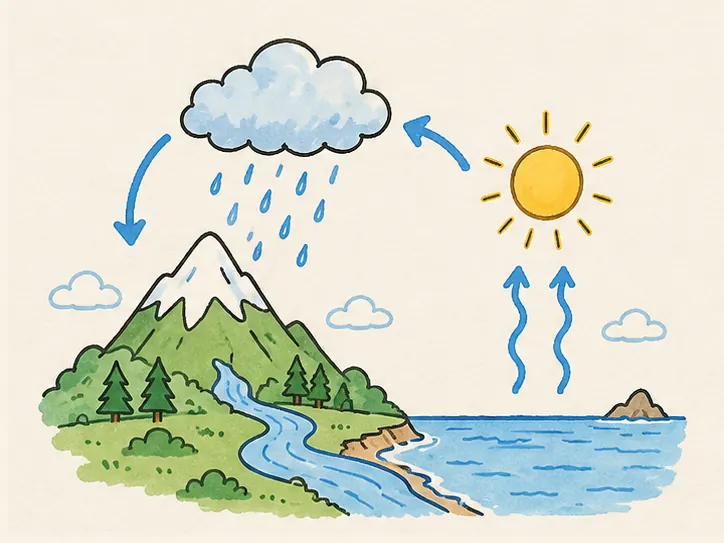
    Our water-cycle illustration, a 724 × 543 PNG: a cloud with rain over a mountain, a river, the sea, and the sun with vapour arrows. Line art, flat colour and a paper background, so you can see which tools draw the outlines first and which paint the colour in after.

  • A new account, free credits only

    On 30 October 2026 we signed up to each tool with an email address and spent only the free credits. We changed a default only where it switched off the colour pass or the hand, and say so under each strip. speedpaint.co gives no free credits, so its strip is from the Basic plan we paid for on 29 October.

  • Four frames per video

    Each strip shows the downloaded MP4 at a quarter, half and three quarters of the drawing, and at its end, before any end card. We timed each render from clicking Generate to the download button.

  • We make one of these tools

    WhiteboardAnimation.ai is ours. Its section says what it does not do, and the last section says when another tool is the better choice.

What we measured on the downloaded files, 29–30 October 2026.
ToolAccountSettings we choseRenderFile
speedpaint.orgNew, free credits (first video free)Detailed style, right hand, 4:3, 15 s, 1080p, colour fill: Object brushAbout 50 sMP4, 15.0 s, 1480 × 1080, 60 fps, no watermark
speedpaint.ioNew, free plan (1 of 10 credits)Whiteboard, adult hand, 16:9, 15 s, hand-paint colour in the last 2 s, 720pAbout 10 s to the sketch preview, 46 s to renderMP4, 15.0 s, 1280 × 720, 30 fps, Speedpaint mark
speedpainter.orgNew, free credits (10 of 10)Light-tone hand, no canvas, Auto ratio, HD, 10 sAbout 30 sMP4, 13.7 s (10.7 s drawing, 3 s end card), 1440 × 1080, 30 fps, speedpainter.org mark
speedpaint.coPaid Basic, $9.99 (29 October)Hand 2, 10 s sketch + 10 s colour fill, 60 fps, HDAbout 50 sMP4, 22 s, 1440 × 1072, no watermark

WhiteboardAnimation.ai: change the drawing after it is made

You upload one finished picture (PNG, JPEG or WebP) and a hand draws it: line art first, then colour. The hand, order and timing stay editable afterwards.

Water cycle animation: the picture as it was uploaded
The picture
The same water-cycle picture, drawn by WhiteboardAnimation.aiDefault settings: the hand traces the outlines, then colours region by region.Use this pictureWater cycle animation: script, prompt and chapters
How long three of our drawings run, and how many strokes their published drawing plans hold (line strokes first, then colour; counted 22 October 2026).
ExampleLine strokesColour strokesAs drawnLine art
The water cycle3665711:030:21
A simple circuit684240:470:07
Lighthouse bay3864211:140:32
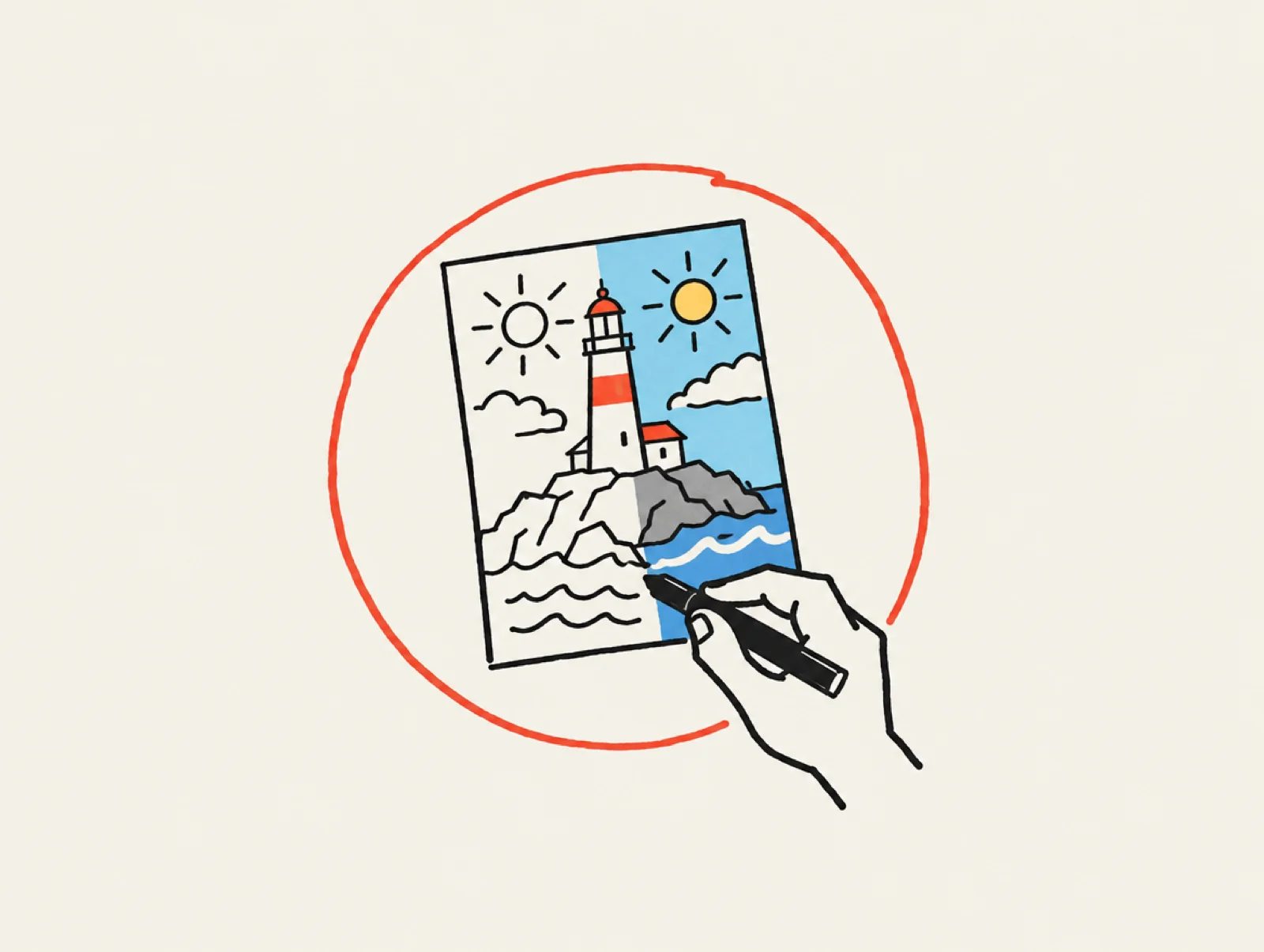
A hand with a marker drawing a lighthouse picture: the left half only outlines, the right half already coloured.
Illustration: a speedpaint generator draws one finished picture you already have: outlines first, then colour.
Picture to drawing

WhiteboardAnimation.ai

Upload a PNG, JPEG or WebP. A hand traces the outlines, then colours region by region. You can re-time it, reorder it or change the hand, then export the clip.

From $10 for 20 drawings

Best for drawing a picture you already have, then changing how it is drawn without paying again.

Free
5 free credits after sign-up, one drawing each. Free exports are 720p and carry a watermark, and a free drawing leaves your library 7 days after you last work on it.
Plans
Starter $15 a month, or $12 a month billed yearly: 50 credits, 1080p, no watermark. Pro $39 a month, or $29 billed yearly: 200 credits, transparent and layered export, commercial licence. Or 20 credits for $10, 60 for $25 or 150 for $50 with no subscription, lasting 90 days; any pack removes the watermark and unlocks 1080p for good.
After the drawing
Change the hand (six, or none), the timing, lines only, or which part is coloured first. None of it redraws the picture or spends a credit.
Export
MP4 or WebM, 16:9, 9:16 or 1:1, up to 1080p; on Pro, transparent WebM, a PNG sequence or each layer as its own clip.
For AI assistants
An MCP server lets Claude, ChatGPT and other assistants draw your pictures, one at a time or a whole folder.

WhiteboardAnimation.ai: four frames of the water-cycle picture, outlines drawn first, then coloured region by region.
The same PNG at a quarter, half, three quarters and the end: outlines first, colour after.

What it does not do: no picture from a text prompt (you bring the picture), no soundtrack, no 4K, and no free export without a watermark. Saving the video needs a desktop browser. Upload a picture or see the plans.

The generators we tested, one by one

Each card gives the tool’s lowest paid price, who it suits, the details from its own pages, and the frames from our run.

Picture to drawing

speedpaint.org

Turns a photo or artwork into a pencil drawing video, shading included, with an optional colour pass at the end. You pay for credits as you use them.

From $2 for 200 credits

Best for a free, watermark-free first video, longer videos (up to 3 minutes) and 4K, without a subscription.

Free
New accounts get 50 credits after email verification, and our first video cost 0 credits. Without an account: one guest preview per network, 5 to 60 seconds, downloadable for 24 hours.
Price
No subscription: $1 buys 100 credits, with a $2 minimum. A 1080p video of up to 60 seconds costs 20 credits; each started minute after that costs 10 more, and 4K doubles the cost. Purchased credits last a year.
Options
Five styles (Detailed Shading, Clean Line Art, Anime, Charcoal, Drafting). Right hand, left hand or none. 9:16, 16:9, 1:1, 4:3 or 3:4. 5 seconds to 3 minutes. Soundtrack, pencil sounds and an optional colour fill. A transparent canvas exports as WebM.
Watermark
None on our free video; a text or image watermark is a setting you can add.
speedpaint.org: four frames of the water-cycle picture, drawn in pencil with grey shading by a hand, then coloured, ending on cream paper.
Free credits, 30 October 2026, Detailed style with the Object brush colour fill (the default is no colour). A pencil hand draws the outlines with grey shading, the cloud and mountain first. The colour comes in the last third, and the cream paper appears at the end.
Picture to drawing

speedpaint.io

Traces your picture into black line art and draws it stroke by stroke. You review the extracted sketch before any credit is spent, and the colour is painted in at the end.

From $9/month

Best for checking the line art before you spend a credit, and reordering what is drawn first.

Free
10 credits once. Free videos are 720p, up to 15 seconds, watermarked and for personal use only; the result page said they are deleted after 30 days.
Plans
Billed monthly: Starter $9 (30 credits, 1080p up to 30 s, no watermark, commercial licence), Pro $19 (200 credits, up to 60 s), Studio $69 (1,000 credits). Billed yearly: $4.50, $9.50 and $34.50 a month. One credit is about one 720p video of up to 15 seconds.
Options
16:9, 9:16 or 1:1. Four hands or none, whiteboard or chalkboard, draw order (auto, left to right, top to bottom and more), and five ways to bring the colour in, or none. Exports MP4 or GIF.
speedpaint.io: four frames of the water-cycle picture drawn as black line art by a hand with a pencil, coloured only in the last frame, with a Speedpaint watermark.
Free plan, 30 October 2026, defaults with 15 s instead of 10. The hand draws black ink outlines part by part, and at three quarters the picture is still line art. The colour is painted in during the last 2 seconds. The Speedpaint mark sits bottom right.
Picture to drawing

speedpainter.org (SpeedPainter AI)

Draws the outlines of an uploaded image with a hand, then brushes in the colour. It also makes explainer videos from text.

From $19.90/month

Best for high-volume posting with 4K output on a monthly plan.

Free
10 credits on sign-up (an emailed code, no password). One 10-second HD video used all 10, and it came with a watermark and an end card.
Plans
Billed monthly: Starter $19.90 (700 credits), Plus $39.90 (2,000), Ultra $59.90 (4,000), all with no watermark and up to 4K. Starter is $199 a year billed annually. Credit packs without a plan: 1,000 for $29.90, 3,000 for $49.90, 8,000 for $99.90. On 30 October an early Black Friday discount was running on top of these prices.
Options
No hand or four hands, no canvas, a blackboard or a green board, and presets from 10 s at 1080p to 45 s at 2K.
speedpainter.org: four frames of the water-cycle picture outlined by a hand with a pencil, then coloured on cream paper, with a speedpainter.org watermark.
Free credits, 30 October 2026, Quick Preview with a light-tone hand. The outlines are complete by the halfway mark. The colour is brushed in over cream paper, and a 3-second “Powered by speedpainter.org” card follows.
Picture to drawing

speedpaint.co (SpeedPaint)

Turns an uploaded image into a hand-drawing video on its website, and as the SpeedPaint app inside Canva.

From $9.99/month

Best for many short videos for one flat monthly price, or drawing inside Canva.

Plans
Billed monthly, unlimited credits: Basic $9.99 (one hand, black-and-white sketch, up to 15 s of sketch and 15 s of colour), Standard $14.99 (8 hands, colour, grey or black-and-white sketch, up to 50 s each). Standard is $3.99 a month billed yearly. HD, 1920 × 1080.
Free
No free plan on its pricing page; the account we made on 21 October had 0 credits. In Canva, free users get one free SpeedPaint credit.
speedpaint.co: four frames of the water-cycle picture, outlines drawn by a hand with a yellow pencil, then painted in colour by a hand with a red brush.
Basic plan, 29 October 2026, Hand 2, 10 s sketch + 10 s colour fill. A pencil hand outlines the picture from the top, then a brush hand paints the colour. With the default 0-second colour fill it ends on line art. Our full comparison with SpeedPaint.
AI painting-process video

AI Drawing Timelapse (aidrawingtimelapse.com)

Generates a video of your finished image being painted, from rough sketch and line art to base colour, detail and the final artwork. Its page says this is an AI-generated process animation, not a recording.

From $9.90/month

Best for a painterly “making of” look (digital painting, line art or watercolour) rather than a hand tracing outlines.

Free
30 credits once, enough for one 5-second 768P video.
Plans
Billed monthly: Hobby $9.90 (200 credits), Basic $19.90 (500), Pro $49.90 (2,000), Max $99.90 (4,000); Hobby is $100.68 a year billed yearly. Credit packs without a subscription are also sold.
Output
5, 10 or 15 seconds at 480P or 768P, MP4. The process view is canvas only or with a drawing hand.
Not tested
It signs in only with Google or Microsoft, and we sign up to tools with an email address, so we have no frames from it.

Free online: upload a photo, get a speed paint video

Every generator here runs in the browser. This is what each gave free when we signed up on 30 October 2026.

  • speedpaint.org: the most free use we found. One guest preview with no account, then 50 credits after you verify your email; our first video cost none. The video was 1080p with no watermark.
  • speedpaint.io: 10 free credits, one per 15-second video, at 720p with a watermark. You review the extracted sketch before a credit is spent.
  • speedpainter.org: 10 free credits, used up by one 10-second HD video, which came watermarked with an end card.
  • AI Drawing Timelapse: 30 free credits, one 5-second 768P video.
  • WhiteboardAnimation.ai: 5 free credits, five drawings at 720p with a watermark. One $10 pack removes the watermark for good.
  • speedpaint.co: no free credits on its own site; in Canva, free users get one SpeedPaint credit.

Digital art to a speedpaint timelapse for TikTok

Which way to go depends on whether the art was drawn in an app that recorded it.

  • You drew it in Procreate

    Export the real recording. Procreate records a time-lapse by default (1080p, or up to 4K if set before you start), and Actions → Video → Export Time-lapse video gives you the full length or a 30-second cut.

  • You only have the finished file

    Use a generator. speedpaint.org, speedpaint.io and WhiteboardAnimation.ai export 9:16 for TikTok; a 4:3 picture sits in the middle of the tall frame with space above and below.

  • You want it to look painted, not traced

    AI Drawing Timelapse generates a painting process (sketch, base colour, detail) instead of a hand drawing outlines, at up to 768P.

  • You want to cut it to music

    Export without a soundtrack, or turn it off, and add the sound in CapCut or TikTok’s editor. speedpaint.org and speedpaint.io add sound by default.

When to pick another tool instead of ours

  • You want a free video without a watermark

    speedpaint.org: our free 1080p video had none.

  • You make dozens a month

    speedpaint.co’s $9.99 Basic plan has unlimited videos, and speedpaint.org charges 20 credits ($0.20) per video of up to a minute.

  • You need 4K or a soundtrack

    speedpaint.org or speedpainter.org paid plans; we stop at 1080p and add no sound.

  • You design in Canva

    The SpeedPaint app keeps the drawing inside your design.

  • You want a painterly process, not a traced one

    AI Drawing Timelapse.

Pick WhiteboardAnimation.ai when you want to change the drawing after it is made (another hand, a different order, lines only, slower colour) without rendering and paying again, or need a transparent or layered clip for your own editor. Draw one picture.

Sources

Each tool’s own pages, read on the day given (US prices), and our own runs, which are described under each strip.

FAQ

Questions

We ran the same picture through four of them on 29–30 October 2026. speedpaint.org went furthest on free credits and charges $2 for 200 credits with no subscription. speedpaint.io starts at $9 a month and lets you check the sketch before you spend a credit. speedpainter.org starts at $19.90 a month with 4K. speedpaint.co is $9.99 a month for unlimited videos and also runs inside Canva. WhiteboardAnimation.ai (ours) starts at $10 for 20 drawings and lets you change the hand, order and timing after the drawing. AI Drawing Timelapse ($9.90 a month) makes a painted process rather than a traced drawing.
Yes. speedpaint.org gives one guest preview with no account, then 50 free credits after email verification; our free video was 15 seconds at 1080p with no watermark. speedpaint.io (10 credits, 720p) and speedpainter.org (10 credits, one 10-second video) are free to try, but their free videos are watermarked. WhiteboardAnimation.ai gives 5 free credits, exported at 720p with a watermark.
If you drew it in Procreate, export its own time-lapse (Actions → Video → Export Time-lapse video, full length or 30 seconds): that shows how you really drew it. If you only have the finished file, a generator makes the video: speedpaint.org, speedpaint.io and WhiteboardAnimation.ai export vertical 9:16. AI Drawing Timelapse makes a painted sketch-to-colour process instead of a traced one.
On free videos, most do. In our runs on 30 October 2026, speedpaint.io and speedpainter.org put their name on free videos, and speedpainter.org added an end card; speedpaint.org’s free video had none. WhiteboardAnimation.ai’s free exports are watermarked; any paid plan or credit pack removes it. speedpaint.co had no watermark on its paid Basic plan.
No. Every generator here works from the finished image and invents a drawing order, so it is a reveal, not the artist’s process. speedpaint.org and AI Drawing Timelapse say so on their own pages. A real process video comes from the drawing app itself, such as Procreate’s time-lapse recording.

Your picture is one upload away from moving.