 Whiteboard Animation
How to make a drawing reveal video for Reels and TikTok
By Deniffer AlanPublished
TL;DR Start from a picture that is already 9:16, upload it to Studio, set Length to the seconds you want (15 for an Etsy listing video), and export a 9:16 MP4. A hand traces the outlines, then colours the picture in, and exporting spends no credits. Two things decide whether the clip is good enough to post. Size: on the free plan a 9:16 picture is drawn 1024 px tall, and our test export was 572 × 1016 with a watermark: narrower than TikTok Studio’s 720 × 1280 minimum and Instagram’s 720-pixel minimum. Any paid plan or credit pack draws at 1920 px, which exports 1080 × 1920 with no watermark. Shape: 9:16 crops the middle of a wide picture, so a landscape coloring page loses its sides. The clip has no sound; add music in TikTok or Instagram.
Reels, TikTok, Pinterest and Etsy specs
What each platform’s own help page asks of an uploaded video, read on 1 November 2026, and what our export gives you.
| Platform | Shape | Length | Size and file |
|---|---|---|---|
| Instagram Reels | Any ratio from 1.91:1 to 9:16 | Not stated on the Reels size page | Minimum 720 pixels and 30 fps |
| TikTok (upload in TikTok Studio on the web) | Not stated; 720 × 1280 or higher | Up to 30 minutes | MP4 or WebM, under 10 GB |
| Pinterest video Pin | 9:16 or 1080 × 1920 recommended for full screen; 1:2, 2:3, 3:4, 4:5 or 1:1 also | 4 seconds to 5 minutes | MP4 or M4V on the web (MOV too in the apps), H.264 or H.265 |
| Etsy listing video | “2:1 or 1:2” | 3 to 15 seconds; sound is removed | Up to 100 MB; at least 500 px, ideally 1080 px or more; MP4, MOV and others |
| WhiteboardAnimation.ai export | 9:16, 1:1, 16:9 or the picture’s own | As drawn (about a minute for our examples) or any Length you set, down to the shortest the clips allow | MP4 or WebM, no sound. Free: 9:16 picture 572 × 1016, watermark. Paid plan or pack: 1080 × 1920, no watermark |
Etsy’s page says the ratio “should be 2:1 or 1:2”; a 9:16 clip is close to 1:2 but not exactly. We did not upload to Etsy, Pinterest, TikTok or Instagram, so whether each one accepts our free 572 px-wide file is untested: the minimums above are the platforms’ own words.
Make a 9:16 drawing reveal clip
From a finished picture to a vertical MP4 in Studio. Exporting renders in your browser and is free; only drawing the picture spends a credit.
- 01
Make the picture 9:16
Crop or generate the picture tall, 1080 × 1920 or close to it, with the subject in the middle and some empty paper above and below. A wide picture works too, but the 9:16 export keeps only its centre. How to prepare a picture covers size and clean line art.
- 02
Upload it
Upload a PNG, JPEG or WebP. A hand traces the outlines first, then colours the picture region by region, in the picture’s own colours.
- 03
Set the length
Type the seconds you want in Length beside the player, or on the timeline. Every part of the drawing keeps its share. Each part stops at a fifth of its drawn length, so our two examples could not go under about 14 seconds.
- 04
Choose the hand
Pick one of six hands, or none if you will talk over it or add your own overlay.
- 05
Export 9:16
In Export video, set Aspect ratio to 9:16, Background to Paper, Format to MP4, and the largest resolution offered. Keep the tab open until the file is saved to your Downloads.
- 06
Post it
Upload the MP4 in TikTok, Instagram, Pinterest or Etsy and add sound there; our file has no audio track.
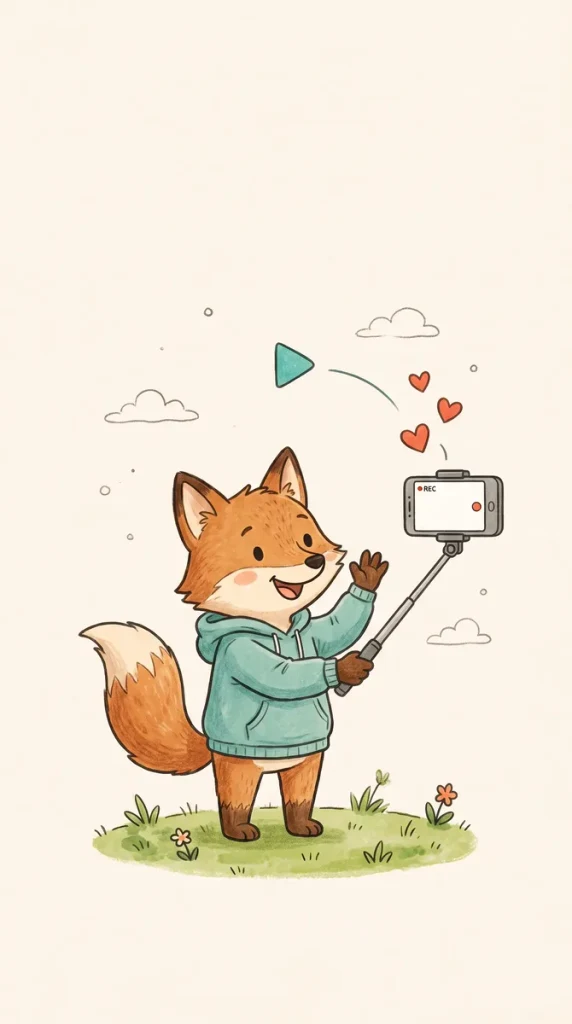
What our 9:16 export test produced
On 1 November 2026 we ran Studio’s own export code on two published examples in desktop Chrome: as drawn, and after setting Length to 15 seconds. No account and no credits.

At a quarter the fox is outlines only; by half the subject is coloured and the hand moves to the hearts and sky; the end frame is the finished picture. 572 × 1016, 15.0 s, 1.28 MB, watermark bottom right.

The 9:16 crop of a wide picture keeps its middle third: the cloud, the mountain and the river, with the sun cut off at the right edge. Only 304 × 542 pixels are left to export.
| Picture | Plan gates | Length | Resolution | File |
|---|---|---|---|---|
| fox-vlogger (9:16, drawn 572 × 1024) | Free | 62.4 s as drawn | 572 × 1016 | 3.6 MB, watermark |
| fox-vlogger | Free | 15.0 s (Length) | 572 × 1016 | 1.3 MB, watermark |
| fox-vlogger | Paid (1080p allowed, no watermark) | 62.4 s as drawn | 572 × 1016 | 3.5 MB, no watermark |
| water-cycle (4:3, drawn 724 × 543) | Free | 63.9 s as drawn | 304 × 542 | 2.3 MB, watermark |
| water-cycle | Free | 15.0 s (Length) | 304 × 542 | 0.85 MB, watermark |
| water-cycle, 1:1 | Free | 63.9 s as drawn | 542 × 542 | 3.4 MB, watermark |
The export never upscales
A resolution is offered only if the drawing has that many pixels in the 9:16 crop. Our examples were drawn 1024 px on the long side, so even with paid gates the fox exported at its own 572 × 1016, not 1080 × 1920.
Free plan: 1024 px drawings
The free plan draws a picture 1024 px on its long side, so a 9:16 picture comes out about 576 × 1024, with a watermark. That is enough for a preview, not for TikTok Studio’s stated 720 × 1280 minimum.
Paid plan or pack: 1920 px
Any paid plan or credit pack draws at 1920 px and removes the watermark. A 9:16 picture then exports 1080 × 1920; a 4:3 picture, cropped to 9:16, has room for 720 × 1280. A drawing keeps the size it was drawn at, so draw it after upgrading. See the plans.
Length is free to change
Setting Length to 15 seconds re-times the same strokes and exports again without spending a credit. Both 15-second files were under 1.3 MB, far below Etsy’s 100 MB limit.
| Example | Line strokes | Colour strokes | As drawn | Line art |
|---|---|---|---|---|
| The water cycle | 366 | 571 | 1:03 | 0:21 |
| Fox vlogger | 1:02 | 0:20 |
Coloring page timelapse for Etsy and Pinterest
For a coloring book or printable sold on Etsy or pinned on Pinterest: the clip shows the line art first, then the colour, which is the page and the finished result in one video.
- Upload the coloured version. The hand colours each region in the colours of the picture you upload, so a coloured page gives you both passes: the black outlines, then the colour.
- Make it tall. Most printable pages are portrait (8.5 × 11 is about 3:4). Put the page on a 9:16 canvas with paper above and below, or the 9:16 export crops its top and bottom.
- Keep it to 15 seconds for Etsy. Etsy takes 3 to 15 seconds and removes sound; Pinterest takes 4 seconds to 5 minutes.
- Mind the watermark and the licence. A free export carries a small WhiteboardAnimation.ai mark bottom right; any paid plan or credit pack removes it. A clip that promotes a shop is commercial use, and our terms give a commercial licence on Pro only.
Our own science coloring pages were made this way in reverse: each printable sheet is the line art of an example drawing, and each links to the clip of that picture being drawn and coloured, like the water-cycle strip above.
Other ways to make a drawing reveal
Picking a method or a tool is covered in two other guides.
You drew it yourself
If you drew the art in Procreate or another app, post its own time-lapse: it is your real process. Drawing reveal methods compared covers Procreate, a CapCut mask reveal and After Effects.
Comparing speedpaint apps
speedpaint.org, speedpaint.io and others also make 9:16 drawing videos from a picture. AI speedpaint generators compared has our same-picture runs, free limits and watermarks.
Over your own footage
To put the drawing over a video of yourself, export it with a transparent background (Pro) and layer it in your editor.
Many pictures at once
An assistant such as Claude or ChatGPT can draw a folder of pictures through our MCP server; you still export each one in 9:16.
What it does not do: no picture from a text prompt (you bring the finished picture), no music or sound, no captions, and no free export without a watermark. Saving the video needs a desktop browser. More vertical examples are in whiteboard animation for social media.
Sources
Platform limits as each platform’s own help page stated them on the day we read it. Our drawing sizes and watermark rules are from our plans as of the same day.
- Instagram Help Center: Reel size & aspect ratios on Instagram · read 2026-11-01
- TikTok Support: Creator tools on TikTok (TikTok Studio upload) · read 2026-11-01
- Pinterest Help: Review Pin specs · read 2026-11-01
- Etsy Help: How to Add Listing Videos · read 2026-11-01
FAQ